AI Summary
AI Summary generates narrative insights for a Focus Area based on participant responses for the selected account. The same feature appears under each Focus Area menu (Family Dynamics, Preparation and Development, Business Preservation and Growth, and Transition Planning).
Accessing AI Summary
- Log in and select an account that already has questionnaire data.
- In the sidebar, expand a Focus Area (for example FAMILY DYNAMICS).
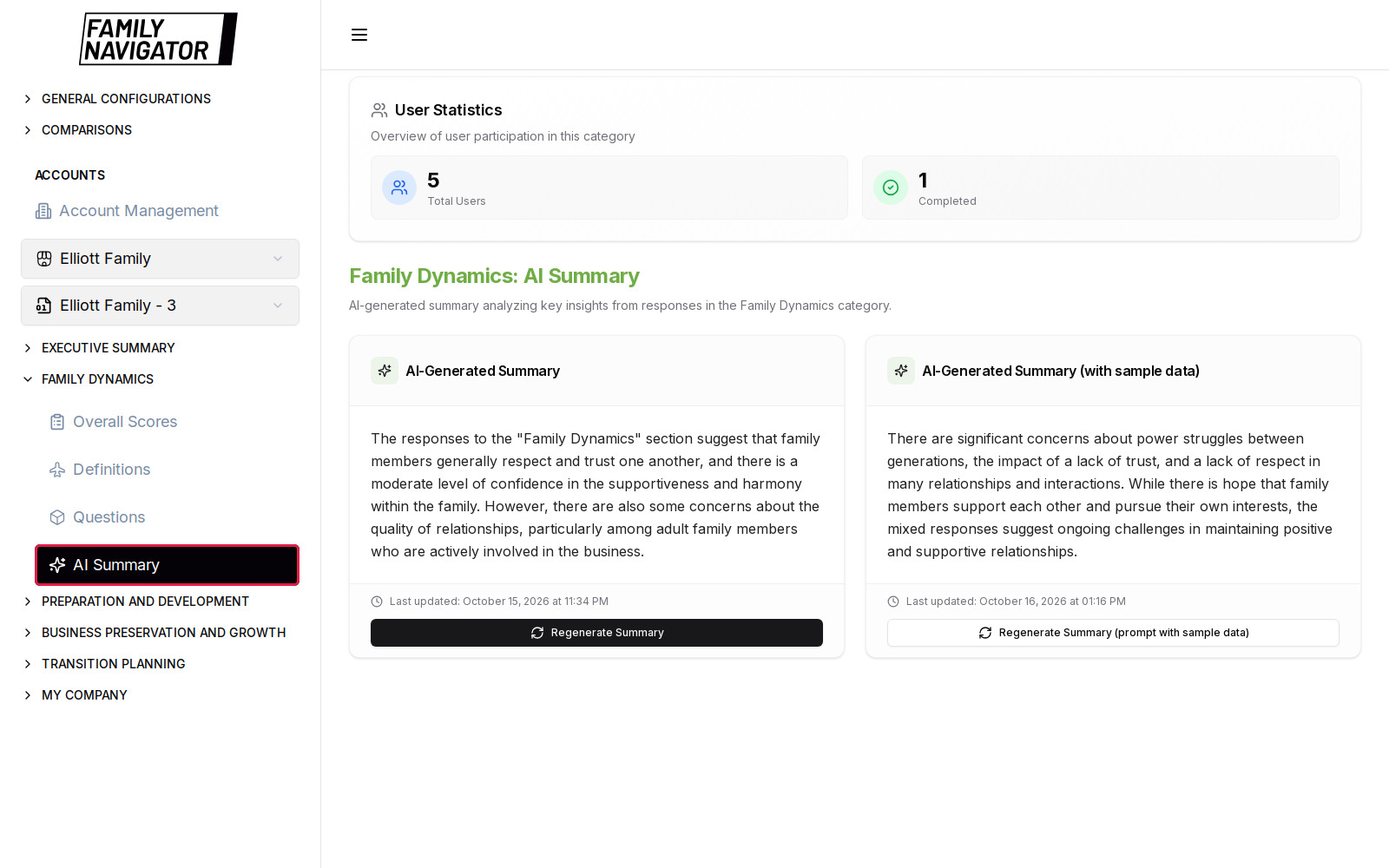
- Click AI Summary (highlighted below).
User Statistics
At the top of the page, a User Statistics card shows participation for the category, including:
- Total Users associated with the account context
- Completed questionnaires (users who finished the survey)
Use these figures to judge whether the AI summary has enough completed responses to be meaningful.
Summary Cards
The page presents two AI summary variants:
1. AI-Generated Summary
- Button labels: Generate Summary / Regenerate Summary
- Produces a narrative analysis of the Focus Area responses
- Shows last-updated timing when a summary already exists
2. AI-Generated Summary (with sample data)
- Button labels: Generate Summary (prompt with sample data) / Regenerate Summary (prompt with sample data)
- Uses an alternate prompt that includes sample data context
- Useful when comparing prompt styles or regenerating with richer guidance
Each card displays the generated text once available (for example insights about trust, communication, or generational dynamics in Family Dynamics).
Generating or Regenerating
- Ensure the correct account is selected and that completed questionnaires exist.
- Click Generate Summary (or the sample-data variant).
- If a summary already exists, confirm regeneration in the dialog when prompted.
- Wait for the Generating… state to finish; the card updates with the new text and timestamp.
Status Messages You May See
Depending on data quality and cache state, the UI may indicate:
- Successful generation
- Summary already up to date / cached
- Insufficient commentary or responses to produce a strong summary
- Errors if the AI service or account context is unavailable
How to Use in Facilitation
- Review Overall Scores and Questions first for quantitative grounding.
- Generate (or regenerate) the AI Summary for the Focus Area.
- Use the narrative as a discussion starter—not as a substitute for constituency-level review.
- Repeat for other Focus Areas as you move along the pathway.
Notes
- AI Summary is account-scoped. Switching accounts loads different summaries.
- Regenerating replaces the stored text for that version (v1 or sample-data v2) after confirmation.
- If generation fails or is unavailable, contact your administrator.