Questions
The Questions page lists survey items for the selected Focus Area with averages, response distributions, and access to participant comments.
Accessing Questions
- Log in and select an account.
- Sidebar → a Focus Area → Questions (outlined in red in the screenshot).
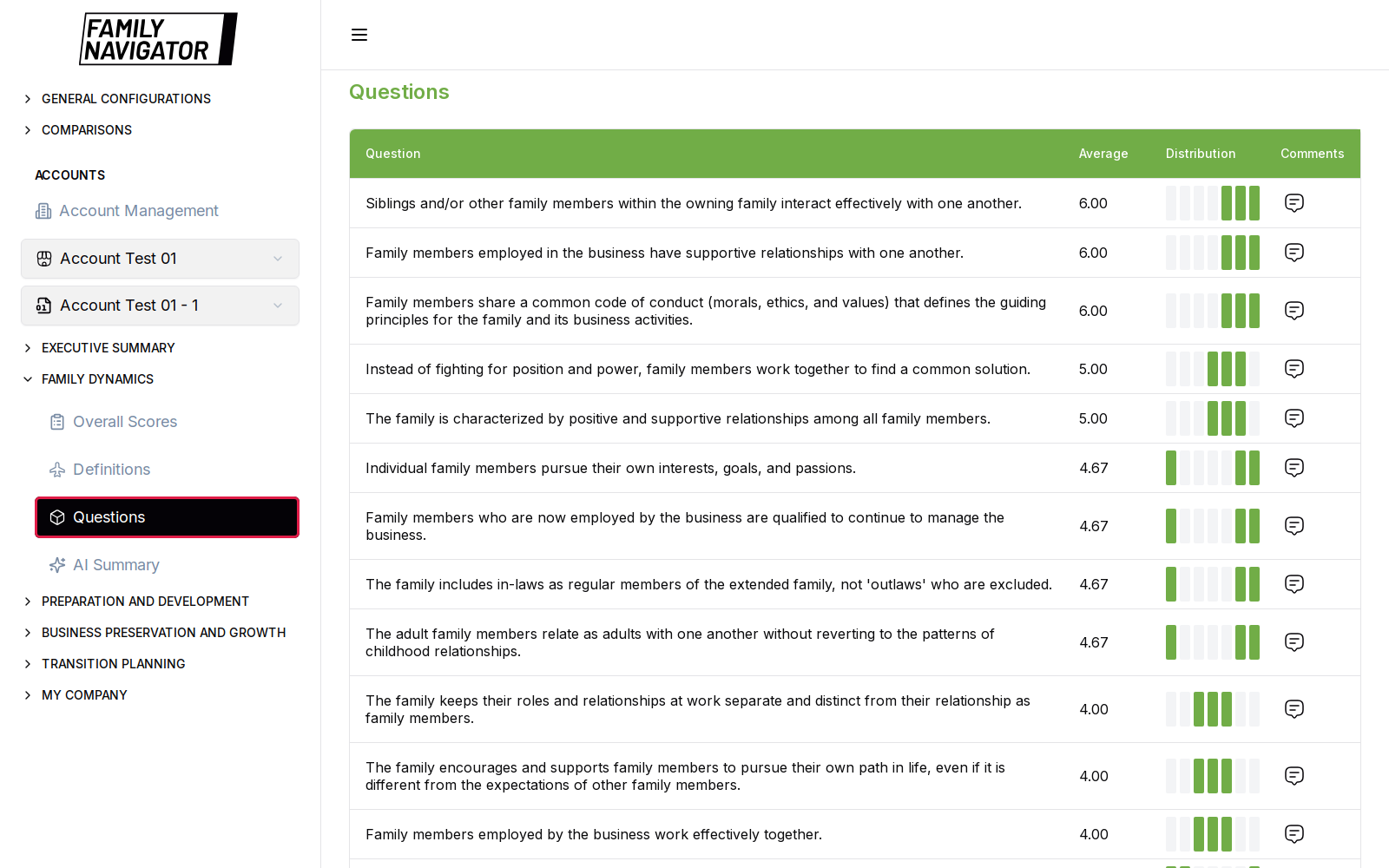
What You See
- Heading Questions for the Focus Area.
- A table of questions, commonly including:
- Question text
- Average score
- Distribution visualization
- Comment indicator / action
Questions are typically ordered to surface lower or higher averages depending on the Focus Area view.
Viewing Comments
When comments exist for a question:
- Click the comment icon for that row.
- A right-hand comments panel opens with participant feedback (and related score context where available).
If there are no comments, the UI shows an empty state such as No comments found.
How to Use
- Confirm the correct account version.
- Scan averages to find polarizing or weak items.
- Open comments to capture qualitative themes for facilitation or report writing.
- Cross-check themes with AI Summary and the Executive Summary Word Cloud.
Notes
- Comment availability depends on whether participants entered free-text responses.
- The same interaction pattern applies across all four Focus Areas.